Code 3 Police Callouts Controls Guide
Drive Code 3 cleanly on keyboard, touch, or gamepad—lights, sirens, stops, and MDT without fumbling the scene.
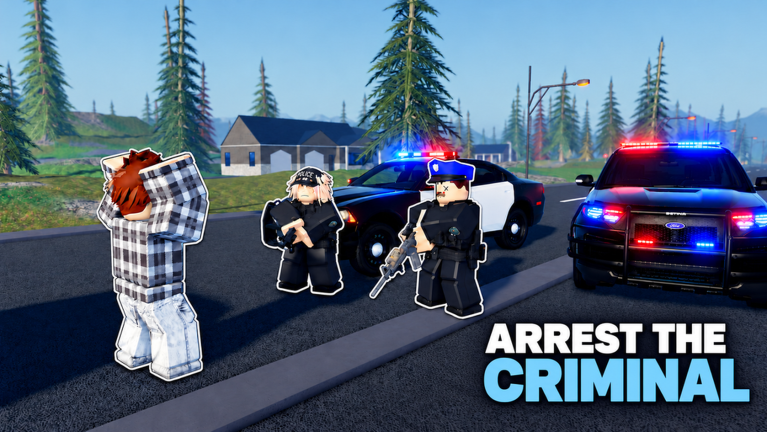
Clean controls matter more than an early HyperCar in Code 3: Police Callouts. You will drive with lights and sirens, run traffic stops, talk to suspects, and operate the MDT for IDs and warrants across Police, Sheriff, SWAT, and FBI. This guide covers PC, mobile/tablet, and console habits. Roblox may remap platform defaults after client updates—re-test in an empty lot whenever Updates note a new pulse.
Parent hub: Tools. New players should also keep Getting Started open.
Universal habits (every platform)
- Find lights and sirens before your first real pin. Sit in a marked car, toggle both, and listen for the audio cue.
- Separate “rolling Code 3” from “on scene.” Kill the siren when you park if RP or hearing voice chat matters; keep scene lights if policy in your squad says so.
- Practice a full traffic stop flow: pull over → approach → talk → MDT → decision → cuff/ticket/release.
- Do not aim a rifle while navigating menus. Holster mentally before you open MDT during low-threat stops.
- After Mobile Garage spawns, re-check camera and siren toggles—some players forget binds after a teleport-style spawn.
PC (keyboard & mouse)
PC players usually get the most precise camera for MDT reading and long pursuits.
Driving
Use standard Roblox vehicle WASD / arrow driving unless you rebound in Roblox settings. Steer early for Code 3 corners; HyperCars and Muscle packs punish late braking. Tap lights/sirens on their UI buttons or hotkeys shown on your HUD—learn the exact on-screen prompts in your build rather than memorizing a wiki key that might differ after a patch.
Lights & sirens
Marked cars sell authority; unmarked cars (Unmarked Vehicles pass) hide lightbars until you trigger hidden grille/window lights. Practice the difference so you do not “blow” a sting early on FBI nights. See Vehicle Tier List.
MDT & talk
Click the MDT entry from the interaction UI when a suspect or stop context allows. Type carefully—wrong ID checks waste time. Keep the mouse free; do not fight the camera while reading warrants.
Combat
PC aim helps on high-threat pins, but radio first. MK48 and Explosive Rounds are specialty tools—read Weapon Tier List before you bind panic spray to an easy key.
Mobile & tablet
The game advertises strong phone/tablet play. Expect on-screen joysticks, tap buttons for sirens, and touch cameras.
Driving tips
Lower graphic clutter if your device heats up during long Code 3 runs. Use both thumbs: one steer, one ready on siren/light toggles. Avoid giant hypercar top speeds in dense traffic until you can trail-brake with touch.
UI reach
Place the device so MDT buttons are not under your steering thumb. Landscape mode usually helps for pursuits; portrait can work for menu-heavy Academy moments.
Stops on touch
Tap interact prompts deliberately. Fat-finger mistakes during cuff/talk are common—slow down on low-threat RP stops.
Data & battery
Long weather cycles and sirens chew battery. Charge before a Generate Callouts practice session if you own that pass.
Console / controller
Controller players should prioritize trigger discipline and radial or bumper UI habits Roblox exposes for the experience.
Driving
Ease into throttle on Muscle/HyperCars; leave marked cruisers for learning absolute braking points. Bind or remember the exact button the HUD highlights for lights vs sirens—do not assume GTA defaults.
Camera
During traffic approaches, nudge the camera to keep the suspect’s hands visible. On SWAT entries, assign one player to watch the mirror/rear while another pushes.
MDT on gamepad
Use the on-screen cursor or focus navigation patiently. If a patch breaks focus order, fall back to a phone alt account only as last resort—usually rejoining after an update (see November 2026) restores UI.
Traffic stop control checklist
| Step | Control focus | Failure mode |
|---|---|---|
| Signal stop | Lights first, then siren as needed | Silent approach when you meant marked authority |
| Position vehicle | Angle for cover, not center lane | Getting hit by AI/player traffic |
| Exit & approach | Camera on hands | Tunnel vision on phone MDT |
| Talk / ID | Confirm prompts | Skipping dialogue into combat |
| MDT warrants | Stable UI focus | Closing MDT early |
| Resolution | Cuff / warn / clear | Over-force on hazard calls |
Callout response control checklist
- Accept/navigate to the pin without forgetting siren state.
- Arrive, announce on-scene to squad (Players etiquette).
- Choose tool: talk vs weapon vs wait for SWAT/FBI specialist.
- If you own Generate Callouts, practice the same scene twice—once talk-focused, once force-focused.
Unit-specific reminders
Police / Sheriff — Marked presence; lights are part of the costume.
SWAT — Prioritize stack movement keys/camera over stereo flex.
FBI — Master unmarked light discipline; pair with Unmarked pass advice on Game Passes.
Deep fantasy write-ups: Units Overview.
Troubleshooting “my controls feel wrong”
- Rejoin a fresh server after a Roblox Updated bump.
- Check you entered a vehicle that actually has a lightbar or hidden lights.
- Confirm team (Police vs early-access unit) loaded correctly.
- Re-open settings for Roblox camera sensitivity—high sensitivity wrecks MDT reading.
- Skip shady “control unlock” Scripts; they are unrelated to binds and risky.
Practice plan (15 minutes)
Minutes 0–5: empty-lot lights/sirens on marked car.
Minutes 5–10: one voluntary traffic stop with full MDT.
Minutes 10–15: one Code 3 cross-map run in your main car (HyperCar only if you already own it).
Then redeem Codes and decide whether Mobile Garage is worth it so you can respawn through this drill faster.
Bottom line
Platforms differ; the job does not. Know how to light up, shut down, talk, MDT, and drive without looking at your fingers. Everything else on this wiki—tiers, passes, units—assumes you already own these basics. When in doubt after a patch, return here before you reroll your entire garage.
Frequently Asked Questions
Quick answers for patrol, codes, units, and progression.
What are the exact keybinds?
Follow the on-screen prompts in your current build—Roblox and experience UI labels can change after client updates. Practice toggles in a quiet lot every patch week.
Do unmarked cars use different siren controls?
You still toggle emergency lighting, but the visual is hidden grille/window lights instead of a roof bar. Learn the look so you do not reveal undercover approaches early.
Is mobile hard for MDT work?
It is workable in landscape with deliberate taps. Slow down on stops; most mistakes are accidental UI presses, not missing features.
Should console players avoid HyperCars?
Not forever, but learn braking in marked cars first. HyperCars Pack speed amplifies control errors on gamepads.